Logs
CS Demo Manager generates log files to help diagnose issues reported on GitHub.
There are two types of logs:
- Application — Logs generated by the application.
- Counter-Strike — Logs generated by the internal Counter-Strike plugin.
important
For privacy reasons, the application doesn't send data to an observability service.
When reporting an issue, please redact any sensitive information from the log files and attach them to the issue. This will help diagnose the problem and save time.
tip
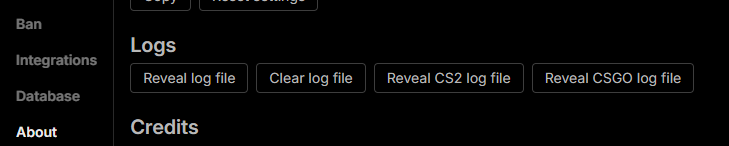
You can reveal each log file directly from the application by going to Settings > About and clicking on one of the Reveal log file buttons.
Log file locations
Replace <STEAM_INSTALLATION_FOLDER> with the path to your Steam library (Steam may be installed in a custom location).
- Windows
- macOS
- Linux
- The application log file is located at
%USERPROFILE%\.csdm\logs\csdm.log. - The CS2 log file is located at
<STEAM_INSTALLATION_FOLDER>\steamapps\common\Counter-Strike Global Offensive\game\bin\win64\csdm.log. - The CS:GO log file is located at
<STEAM_INSTALLATION_FOLDER>\steamapps\common\Counter-Strike Global Offensive\csdm.log.
- The application log file is located at
~/.csdm/logs/csdm.log. - The CS:GO log file is located at
<STEAM_INSTALLATION_FOLDER>/steamapps/common/Counter-Strike Global Offensive/csdm.log.
- The application log file is located at
~/.csdm/logs/csdm.log. - The CS2 log file is located at
<STEAM_INSTALLATION_FOLDER>/steamapps/common/Counter-Strike 2/game/bin/linux64/csdm.log. - The CS:GO log file is located at
<STEAM_INSTALLATION_FOLDER>/steamapps/common/Counter-Strike Global Offensive/csdm.log.